A Qatar visa photo must be 4.5 x 3.5 cm (passport-size), taken within the last 6 months, with a plain white background and a neutral facial expression. For the Hayya eVisa platform, applicants upload a digital JPEG file of at least 600 x 600 pixels, with a maximum file size of 240 KB. Whether you are applying for a tourist visa (A1), GCC resident visa (A2), or visa on arrival, the photo specifications remain the same. This guide covers every detail you need to submit a Qatar visa photo that gets accepted on the first try.
What Photo Do You Need for a Qatar Visa?
A Qatar visa photo is a passport-style photograph that meets ICAO 9303 international biometric standards. Every Qatar visa application – whether processed through the Hayya online platform or at a physical embassy – requires a recent, properly formatted photo of the applicant.
The Qatar visa photo must meet these core specifications:
- Size: 4.5 cm wide x 3.5 cm tall (1.77 x 1.38 inches)
- Background: Plain white or light gray, no patterns or shadows
- Recency: Taken within the last 6 months
- Format: Color photograph only (no black and white)
- Expression: Neutral facial expression, mouth closed
- Eyes: Both eyes open, looking directly at the camera
- Head position: Centered and straight, not tilted
For travelers applying through the Hayya eVisa platform at hayya.qa, the photo submission is entirely digital. You upload a JPEG file during the online application – no physical prints are needed unless you are applying at an embassy or consulate. The Hayya system links the photo to your passport digitally, so there is no sticker or stamp involved.
If you are applying for a Qatar visa on arrival at Hamad International Airport in Doha, the immigration officer will use the photo embedded in your passport. You do not need to carry separate printed photos for visa on arrival, though having extras is advisable in case of system issues.
The Qatar visa photo serves as biometric identification throughout your stay. It is cross-referenced with your passport data and used for entry verification at immigration checkpoints. Submitting a photo that does not meet specifications is one of the most common reasons for visa application delays or rejections.
Qatar Visa Photo Size and Dimensions
The standard Qatar visa photo measures 4.5 cm wide by 3.5 cm tall (approximately 1.77 x 1.38 inches). This is the same dimension used for most international passport and visa photos worldwide, following ICAO 9303 biometric standards.
Physical Photo Dimensions
| Specification | Requirement |
|---|---|
| Width | 4.5 cm (1.77 inches) |
| Height | 3.5 cm (1.38 inches) |
| Head height | 2.5 cm to 3.5 cm (chin to crown) |
| Head position | Centered horizontally |
| Eye position | Between 2.8 cm and 3.5 cm from bottom edge |
The head must occupy 70% to 80% of the total photo area, measured from the top of the hair to the bottom of the chin. This ensures the face is large enough for biometric recognition while maintaining proper framing.
Digital Photo Dimensions for Hayya
For the Hayya eVisa platform digital upload, the requirements are:
| Specification | Requirement |
|---|---|
| Minimum resolution | 600 x 600 pixels |
| Maximum file size | 240 KB |
| File format | JPEG (.jpg) |
| Aspect ratio | Square (1:1) preferred |
| Color space | sRGB |
| Compression | Maximum 20:1 ratio |
The Hayya system accepts square digital photos (600 x 600 pixels minimum) because the platform crops and adjusts the image automatically to match Qatar’s biometric template. If your photo is rectangular, the system will crop it to fit – but ensure your face is centered with adequate margin on all sides.
Important: Photos that are too small (below 600 x 600 pixels) or too large (above 240 KB) will be rejected by the Hayya upload system. If your photo exceeds 240 KB, compress it using an image editor or online photo compression tool before uploading.
Background, Lighting and Composition Rules
Qatar visa photos require a plain white or light gray background with even lighting and no visible shadows on the face or behind the head. The background must be completely uniform – no patterns, textures, furniture, doors, or other people visible in the frame.
Background Specifications
- Color: Pure white (#FFFFFF) or light gray (#F0F0F0 to #E8E8E8)
- Texture: None – smooth, flat surface
- Shadows: No shadows on the background behind the head
- Objects: Nothing visible except the applicant
Lighting Requirements
- Type: Even, diffused lighting from multiple directions
- Shadows on face: None – both sides of the face should be equally lit
- Flash: Avoid direct flash (causes red-eye and harsh shadows)
- Natural light: Acceptable if diffused (near a window with sheer curtains)
- Avoid: Overhead lighting that casts shadows under eyes or nose
Composition Rules
- Head position: Centered horizontally in the frame
- Vertical position: Eyes at approximately 60% from the bottom of the photo
- Tilt: None – head must be perfectly straight and upright
- Shoulders: Visible, level, and symmetrical
- Framing: From the top of the hair to the bottom of the chin, with margin above and below
The most common background mistake is using a wall with visible texture, paint variations, or shadows from uneven lighting. A clean white bedsheet hung tautly against a wall works well for DIY photos. Professional photo studios use seamless white paper rolls and studio lighting to ensure perfect consistency.
Appearance Rules – Glasses, Head Coverings and Clothing
Eyeglasses are strongly discouraged in Qatar visa photos. If you must wear glasses for medical reasons, the frames must not cover any part of your eyes, and there must be absolutely no glare, tint, or reflection on the lenses. Most photo services recommend removing glasses entirely to avoid rejection.
Glasses Rules
- Recommendation: Remove all glasses before taking the photo
- Medical exception: Permitted only if you cannot remove them due to a documented medical condition
- Frame requirements: Must not cover the eyes or eyebrows
- Lens requirements: No tint, no glare, no reflections, no transition lenses
- Sunglasses: Never permitted, even with a medical prescription
Head Covering Rules
- Religious coverings: Permitted (hijab, turban, yarmulke, etc.)
- Face visibility: The entire face must be visible from chin to hairline
- Coverage restriction: Head covering must not cast shadows on the face
- Fabric: Solid, non-patterned preferred
- Non-religious hats: Not permitted under any circumstances
Clothing Requirements
- Uniforms: Not permitted (military, police, work uniforms)
- Religious attire: Permitted if worn daily
- Style: Normal everyday clothing is acceptable
- Colors: Avoid white (blends with background) and very light colors
- Necklines: Visible above the bottom of the photo frame
- Accessories: Large jewelry, headphones, and decorative items should be removed
Other Appearance Rules
- Hair: Must not cover the face or eyes. Bangs should be pinned back if they obscure the eyebrows
- Makeup: Acceptable but should not significantly alter facial appearance
- Facial hair: Permitted – no requirement to shave or trim for the photo
- Temporary changes: If you have had significant facial surgery, new piercings, or weight changes, take a new photo to match your current appearance
Digital Photo Requirements for the Hayya Platform
The Hayya eVisa platform (hayya.qa) requires a digital photo upload in JPEG format, with a minimum resolution of 600 x 600 pixels and a maximum file size of 240 KB. The photo must meet the same biometric standards as a physical passport photo – white background, neutral expression, taken within 6 months.
Hayya Upload Specifications
| Parameter | Requirement |
|---|---|
| File format | JPEG (.jpg or .jpeg) |
| Minimum pixels | 600 x 600 |
| Maximum file size | 240 KB |
| Color mode | RGB (sRGB color space) |
| Aspect ratio | Square (1:1) |
| Resolution | 300 DPI recommended |
| Compression | Maximum 20:1 ratio |
Step-by-Step Photo Upload for Hayya
Step 1: Visit hayya.qa or download the “Hayya to Qatar” mobile app
Step 2: Create an account and select your visa type (A1, A2, A3, or A4)
Step 3: Navigate to the document upload section and select “Photo”
Step 4: Click “Upload” and select your prepared JPEG file
Step 5: Verify the preview – ensure your face is centered and clearly visible
Step 6: Confirm and proceed to the next application step
Technical Tips for a Successful Upload
- File naming: Use only English letters, numbers, and hyphens (no special characters)
- Color space: Convert to sRGB if your photo uses a different color profile
- Cropping: Pre-crop to a square before uploading – the Hayya system may auto-crop poorly if the original is rectangular
- Resolution check: Right-click the photo file, select Properties (Windows) or Get Info (Mac), and verify the pixel dimensions
- File size reduction: If your photo exceeds 240 KB, use an image editor to reduce JPEG quality to 80-85% or resize to exactly 600 x 600 pixels
Mobile Photography for Hayya
The Hayya mobile app allows you to take a photo directly using your smartphone camera. If using this feature:
- Stand against a white wall in a well-lit room
- Hold the phone at eye level, arm’s length away
- Use the rear camera (higher resolution than front camera)
- Have someone else take the photo – selfies have too much distortion
- Ensure the photo is sharp and not blurry
Photo Requirements by Qatar Visa Type
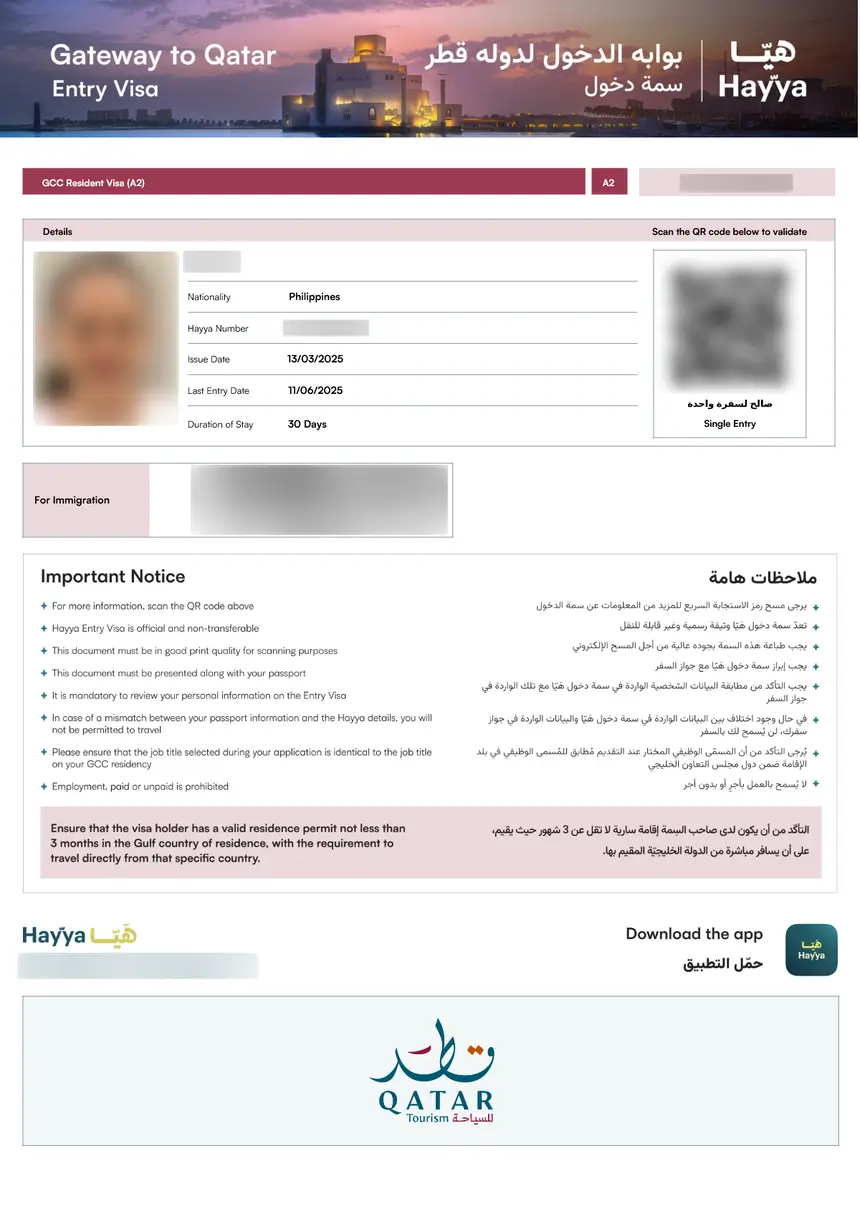
Qatar visa photo requirements are identical across all visa types – the specifications do not change whether you are applying for a tourist visa (A1), GCC resident visa (A2), ETA visa (A3), companion visa (A4), or visa on arrival. The difference lies only in how you submit the photo.
Photo Submission by Visa Type
| Visa Type | Name | Photo Submission Method |
|---|---|---|
| A1 | Tourist Visa | Digital upload via Hayya platform |
| A2 | GCC Resident Visa | Digital upload via Hayya platform |
| A3 | ETA Visa | Digital upload via Hayya platform |
| A4 | Companion Visa | Digital upload via Hayya platform |
| Visa on Arrival | – | Photo embedded in passport (no separate photo needed) |
| Embassy Visa | Work/Mission Visa | Two physical prints (4.5 x 3.5 cm, white background) |
Hayya eVisa (A1, A2, A3, A4)
All Hayya visa types use the same digital upload process. You submit a JPEG photo during the online application at hayya.qa. The photo specifications (600 x 600 pixels, 240 KB max, white background, neutral expression) apply equally to all four categories. The visa type determines your eligibility and permitted stay duration, not your photo requirements.
Visa on Arrival
Travelers obtaining a visa on arrival at Hamad International Airport do not need to submit a separate photo. The immigration officer scans your passport, which contains your embedded biometric photo. The visa on arrival fee is QAR 100 (approximately $27 USD), payable at the immigration counter.
Embassy-Processed Visas
For work mission visas or other visas processed at a Qatar embassy, you typically need to submit two physical passport-sized photos (4.5 x 3.5 cm) printed on photo-quality paper. The back of each photo should have your full name written in pencil. These photos must meet the same standards – white background, neutral expression, taken within 6 months.
Children and Baby Photo Requirements
Children and infants applying for a Qatar visa must have their own separate photo that meets the same adult standards – white background, neutral expression, face fully visible, taken within 6 months. No other person (including a parent’s hands) should be visible in the photo.
Baby Photo Requirements
- Age: From birth – even newborns need a visa photo
- Position: Lying on a white sheet or blanket, photographed from directly above
- Eyes: Must be open (this is the most challenging requirement for infants)
- Background: Pure white – use a white sheet, not a colored blanket
- Face: Fully visible, no pacifiers, bottles, or toys
- Hands: No parent’s hands supporting the baby’s head (use a white pillow instead)
- Expression: Neutral or natural – babies do not need to maintain a perfect neutral expression
Toddler and Older Children
- Same rules as adults: White background, neutral expression, face forward, both eyes open
- Seating: Use a high chair or regular chair against a white wall
- Height adjustment: The child’s head should be at the same height as an adult photo (use a booster seat if needed)
- Attention: Use a toy or sound to get the child to look directly at the camera
- Patience: Take multiple shots and select the best one
Common Mistakes with Children’s Photos
- Parent visible: The parent’s hand, arm, or body appears in the frame
- Background not white: Using a colored blanket or patterned sheet
- Eyes closed: Babies often close their eyes in bright light – use soft, diffused lighting
- Face partially covered: Blanket, hat, or hair covers part of the face
- Photo too old: Children’s appearance changes rapidly – always use a photo taken within the last 6 months
Common Photo Mistakes That Cause Rejection
The most common reasons Qatar visa photos are rejected include incorrect dimensions, non-white backgrounds, photos older than 6 months, wearing glasses with glare, and low-resolution digital files. Understanding these Qatar visa requirements pitfalls before you apply saves time and prevents application delays.
Top 10 Rejection Reasons
| Rank | Mistake | How to Avoid |
|---|---|---|
| 1 | Wrong photo dimensions | Measure: 4.5 x 3.5 cm exactly |
| 2 | Non-white background | Use pure white wall or sheet |
| 3 | Photo older than 6 months | Take a new photo for each application |
| 4 | Glasses with glare | Remove glasses entirely |
| 5 | Low resolution (digital) | Minimum 600 x 600 pixels |
| 6 | File too large (digital) | Compress to under 240 KB |
| 7 | Shadows on face | Use even, diffused lighting |
| 8 | Head tilted or turned | Keep head straight and centered |
| 9 | Smiling or frowning | Maintain neutral expression, mouth closed |
| 10 | Other people visible | Photo must contain only the applicant |
How to Fix a Rejected Photo
If your Qatar visa photo is rejected by the Hayya platform:
- Read the rejection reason carefully – the platform usually specifies what was wrong
- Take a new photo – do not try to edit the rejected one
- Check all specifications – dimensions, file size, format, background
- Upload the corrected photo – the platform allows re-submission
- Wait for re-processing – this adds 1-3 business days to your application timeline
A rejected photo does not mean your visa application is denied. You can resubmit a corrected photo without starting a new application. However, repeated rejections may require you to contact Hayya support or visit a Qatar embassy in person.
Where to Get Your Qatar Visa Photo Taken
You can take your Qatar visa photo at a professional photo studio ($10-$15), a passport photo service like Walgreens or CVS ($15-$20), or at home using a smartphone with a white wall background (free). Professional services guarantee compliance, while DIY photos save money if you follow all specifications carefully.
Professional Photo Studios
- Cost: $10-$15 for a set of 2-4 printed photos
- Advantage: Guaranteed to meet specifications, proper lighting and equipment
- Turnaround: Usually same-day (5-10 minutes)
- Best for: Embassy applications requiring physical prints
Retail Pharmacy Services (US/UK)
- Walgreens: Passport photos available for approximately $16
- CVS: Similar pricing, available at most locations
- Walmart: Photo center services at many stores
- Post Office (UK): Passport photo service available
Home DIY Photography
- Equipment: Smartphone with 8+ megapixel camera, white wall or sheet
- Lighting: Stand near a window with natural light, or use two lamps on either side
- Distance: Stand 3-5 feet from the subject
- Height: Camera at eye level
- Cost: Free (only your time)
Online Photo Tools
Several online services can format your photo to meet Qatar visa specifications:
- Passport-photo.online: AI-powered cropping and compliance check
- iVisa photo service: Integrated with visa application
- PhotoAiD: Automated background removal and resizing
Important: Always verify that any photo service you use produces photos that meet Qatar’s specific requirements. Generic passport photo services may default to US or UK specifications, which differ slightly from Qatar’s standards.
Qatar Visa Photo vs. Passport Photo – Key Differences
Qatar visa photos follow the same ICAO 9303 biometric standards as international passport photos – the specifications for size, background, expression, and composition are identical. The primary difference is the submission format: the Hayya eVisa platform requires a digital JPEG upload, while embassy applications may require physical printed photos.
Side-by-Side Comparison
| Specification | Qatar Visa Photo (Hayya) | Standard Passport Photo |
|---|---|---|
| Physical size | 4.5 x 3.5 cm | 4.5 x 3.5 cm (varies by country) |
| Digital format | JPEG, 600×600 px min | JPEG or PNG (varies) |
| File size limit | 240 KB | Varies (usually 100-500 KB) |
| Background | White or light gray | White (US), light gray (UK) |
| Recency | Within 6 months | Within 6 months |
| Expression | Neutral | Neutral |
| Glasses | Not recommended | Not recommended (US: not allowed) |
| Head covering | Religious only | Religious only |
When You Can Use the Same Photo
- Passport photo for Qatar visa: Yes, if your passport photo was taken within the last 6 months and meets Qatar’s specifications
- Qatar visa photo for passport: Yes, if the dimensions match your country’s passport photo requirements
- Photo from another visa application: Possibly, if taken within 6 months and meets all Qatar specifications
When You Need a New Photo
- Your passport photo is older than 6 months
- Your appearance has changed significantly (surgery, weight change, new piercings)
- Your passport photo has a non-white background
- Your passport photo was taken with glasses
- The digital resolution is below 600 x 600 pixels
FAQs About Qatar Visa Photo Requirements
What size photo do I need for a Qatar visa?
The standard Qatar visa photo measures 4.5 cm wide by 3.5 cm tall (1.77 x 1.38 inches). For the Hayya eVisa digital upload, the minimum resolution is 600 x 600 pixels in JPEG format with a maximum file size of 240 KB.
Can I wear glasses in my Qatar visa photo?
Eyeglasses are strongly discouraged. If you must wear them for medical reasons, the frames must not cover your eyes and there must be no glare or tint on the lenses. Most experts recommend removing glasses entirely to avoid rejection.
What background color is required for a Qatar visa photo?
The background must be plain white or light gray. No patterns, textures, shadows, or other objects should be visible. A clean white wall or a white sheet hung tautly works well for DIY photos.
How recent must my Qatar visa photo be?
Your Qatar visa photo must have been taken within the last 6 months. Photos older than 6 months will be rejected, even if your appearance has not changed significantly.
Can I take my own Qatar visa photo at home?
Yes, you can take your own photo at home using a smartphone with at least 8 megapixels. Stand against a white wall with even lighting, hold the camera at eye level, and ensure the photo meets all size and format requirements before uploading to the Hayya platform.
What format does the Hayya platform accept for photos?
The Hayya eVisa platform accepts JPEG (.jpg) files only. The minimum resolution is 600 x 600 pixels, and the maximum file size is 240 KB. The color space should be sRGB for accurate color reproduction.
Do children need a separate Qatar visa photo?
Yes, every traveler including infants must have their own Qatar visa photo. Babies should be photographed lying on a white sheet with eyes open. Toddlers and older children follow the same adult requirements – white background, neutral expression, face fully visible.
What happens if my Qatar visa photo is rejected?
If your photo is rejected by the Hayya platform, you will receive a notification with the reason. You can resubmit a corrected photo without starting a new application. This adds 1-3 business days to your processing time. Repeated rejections may require contacting Hayya support.
Is the photo requirement different for visa on arrival vs. eVisa?
The photo specifications are identical for all Qatar visa types. The difference is submission method – Hayya eVisa requires a digital upload, while visa on arrival uses the biometric photo embedded in your passport. No separate photo is needed for visa on arrival.
Can I wear a hijab or turban in my Qatar visa photo?
Yes, religious head coverings are permitted. The covering must not cast shadows on your face, and your entire face must be visible from chin to hairline. Non-religious hats and head coverings are not allowed.
What is the file size limit for Qatar visa photos on Hayya?
The maximum file size for digital photo upload on the Hayya platform is 240 KB. If your photo exceeds this limit, compress it using an image editor or online tool before uploading. Reducing JPEG quality to 80-85% typically brings the file size within the limit.
Do I need to print photos for a Qatar visa application?
For Hayya eVisa applications (A1, A2, A3, A4), no physical prints are needed – everything is digital. For embassy-processed visas (work mission visas), you typically need two physical prints measuring 4.5 x 3.5 cm on photo-quality paper with your name written on the back.
Can I smile in my Qatar visa photo?
No, a neutral facial expression is required. Your mouth should be closed, and you should not smile, frown, or have any exaggerated expression. A natural, relaxed face is acceptable.
What if my Qatar visa photo was taken with a filter?
Photos with filters, digital enhancements, or beauty mode features are not acceptable. The photo must accurately represent your current natural appearance. Using filters can cause rejection if the photo does not match your passport biometric data.
How much does a professional Qatar visa photo cost?
Professional passport-style photos cost approximately $10-$15 at photo studios, $15-$20 at retail pharmacies (Walgreens, CVS), and $5-$10 at some online services. DIY photos taken at home are free if you have a smartphone and white background.